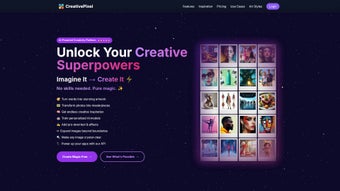

Download CreativePixel – AI‑Powered Design Studio, Free Trial & Real‑Time Collaboration
Overview
CreativePixel is a cloud‑native, AI‑driven design studio that transforms simple text prompts into fully‑realized visual assets in seconds. The platform is built on state‑of‑the‑art diffusion models and a rule‑based design engine, allowing users to generate photorealistic images, vector graphics, UI mockups, and animated prototypes without ever opening a traditional raster editor. Because the heavy processing occurs on secure servers, the user experience remains buttery smooth on any modern browser, regardless of the underlying hardware.
Whether you are a seasoned graphic designer seeking to accelerate repetitive tasks, a marketer who needs quick campaign visuals, or a developer looking for rapid UI wireframes, CreativePixel offers a single workspace where ideas evolve from a single line of text to a polished deliverable ready for export. The subscription model includes unlimited access to an ever‑growing asset library, brand‑guardrails that enforce corporate style guides, and collaborative rooms that let multiple team members edit and comment in real time. By automating color palette extraction, typography pairing, and asset resizing, CreativePixel frees creative professionals to focus on strategy, storytelling, and high‑level iteration instead of manual tweaking.
In short, the tool bridges imagination and execution, delivering professional‑grade results while keeping the learning curve shallow and the workflow secure.
Key Features & Benefits
- AI Image Generation: Convert natural‑language prompts into high‑resolution raster or vector images in under a minute.
- Design Suggestion Engine: Receive data‑driven layout, color, and typography recommendations aligned with project goals.
- Real‑Time Collaboration: Edit, comment, and approve designs simultaneously across browsers and devices.
- Brand Guardrails: Upload style guides so the AI automatically applies approved colors, fonts, and logos.
- Rapid Prototyping Toolkit: Drag‑and‑drop UI components that the AI can adapt to create clickable wireframes.
- Multi‑Format Export: Export assets as PNG, SVG, PDF, or push directly to cloud storage services.
- Version History & Control: Track every change, revert to previous versions, and compare iterations side‑by‑side.
- Custom Prompt Templates: Save frequently used prompts for instant reuse, speeding up repeat workflows.
Each feature is crafted to eliminate a specific friction point in the creative pipeline. The AI Image Generation module leverages millions of curated training images, ensuring output that is both diverse and brand‑appropriate. The Suggestion Engine blends rule‑based aesthetics with machine‑learning insights, dramatically reducing the trial‑and‑error phase that typically slows design cycles.
Collaboration runs on WebRTC, guaranteeing low‑latency updates that feel native to the desktop experience. Brand Guardrails address one of the most common agency challenges—maintaining consistency across multiple client projects—by embedding style rules directly into the generation process. The prototyping toolkit includes a library of responsive components that the AI can resize and recolor on the fly, turning a rough sketch into a functional mockup in minutes.
Together, these capabilities cut production time by up to 70 %, lower the cost of iteration, and empower teams to deliver higher‑quality visual communication faster.
Installation, Usage & Compatibility
CreativePixel is a pure‑SaaS solution, which means there is no traditional installer or heavyweight client to download. All you need is a recent web browser and an internet connection. Follow these steps to get up and running:
- Create an Account: Visit creativepixel.io, click “Sign Up,” and register with an email address or single‑sign‑on (Google, Microsoft, Apple).
- Choose a Plan: Select the “Pro” monthly plan or the “Enterprise” annual plan. Both provide a 14‑day free trial with unrestricted feature access.
- Verify & Set Up Workspace: Confirm your email, then name your first workspace (e.g., “Q4 Campaign”).
- Upload Brand Assets (Optional): Drag‑and‑drop logos, color palettes, and font files. The system will index them for instant use in the Guardrails feature.
- Start a New Project: Click “New Project,” enter a concise brief such as “Social post – 1080×1080 – summer vibe,” and hit “Generate.” The AI returns several variations within seconds.
- Refine & Collaborate: Use the side panel to tweak colors, replace elements, or add copy. Invite teammates by email to co‑edit or leave comments in real time.
- Export or Share: When the design meets your standards, export in the desired format or generate a shareable link that updates automatically as revisions are made.
Compatibility Matrix
- Windows 10/11: Chrome 92+, Edge 92+, Firefox 89+ – full functionality.
- macOS 11 (Big Sur) and later: Safari 14+, Chrome, Firefox – all features supported.
- Linux (Ubuntu, Fedora, etc.): Any recent distribution with a Chromium‑based browser works flawlessly.
- iOS 14+ (iPhone & iPad): Safari or Chrome mobile browsers provide complete access, though drag‑and‑drop is optimized for larger screens.
- Android 9+: Chrome or Firefox mobile browsers deliver the full suite of design tools.
Because AI inference and asset rendering happen on CreativePixel’s cloud servers, local hardware requirements are minimal. A stable broadband connection of at least 5 Mbps ensures prompt generation, while a faster link (≥25 Mbps) improves responsiveness for large‑scale exports. The platform adheres to WCAG 2.1 AA standards, offering keyboard navigation, screen‑reader labels, and high‑contrast themes for inclusive usage.
Pros, Cons & Frequently Asked Questions
Pros
- AI‑driven generation slashes design time by up to 70 %.
- Fully web‑based; no installation, works on Windows, macOS, Linux, iOS, and Android.
- Real‑time multi‑user collaboration eliminates separate file‑sharing tools.
- Brand Guardrails keep output on‑brand automatically.
- Extensive export formats and RESTful API for workflow automation.
- 14‑day free trial provides risk‑free exploration of all features.
Cons
- Requires an active internet connection; offline work is not supported.
- Subscription pricing may be high for solo freelancers or small studios.
- Advanced model fine‑tuning is limited to the Enterprise tier.
- Non‑designers may need a brief learning period to interpret AI suggestions effectively.
Frequently Asked Questions
Is there a completely free version of CreativePixel?
CreativePixel offers a 14‑day free trial with full feature access. After the trial, a paid subscription is required to continue using the platform.Can I use the designs for commercial purposes?
Yes. All assets generated under a paid subscription are licensed for commercial use, allowing you to incorporate them into marketing campaigns, client deliverables, or product packaging.What measures does CreativePixel take to protect my data?
The platform complies with GDPR and CCPA, encrypts all uploaded files and generated assets at rest and in transit, and never sells user data to third parties. You retain full ownership of your content.Which browsers deliver the best experience?
Google Chrome (latest) and Microsoft Edge provide the most consistent performance, especially for real‑time collaboration. Safari and Firefox are fully supported, though some keyboard shortcuts may differ.Is there an API for integrating CreativePixel into my existing toolchain?
Yes. Enterprise customers receive access to a RESTful API that can trigger image generation, retrieve design suggestions, and manage assets programmatically. Comprehensive documentation is available in the developer portal.Conclusion & Call to Action
CreativePixel stands out as a secure, AI‑enhanced design studio that removes the tedious steps traditionally associated with visual creation. By delivering instant, brand‑compliant assets and enabling real‑time teamwork, the platform offers a measurable productivity boost for agencies, marketing departments, and independent creators alike. While the subscription cost may require justification for solo freelancers, the time saved and the quality of output often offset the expense, especially when teams collaborate across locations. If you’re ready to accelerate your design workflow, maintain brand consistency effortlessly, and explore AI‑driven creativity, start your free 14‑day trial today. Click the “Download” button below, sign up, and watch your ideas materialize into polished graphics in seconds.
- Fast AI image and UI generation
- Robust real‑time collaboration
- Automatic brand‑compliance tools
- No offline mode
- Subscription cost for solo creators






